

Last Updated on June 28, 2026 by Eric B. Steele
Are you ready to boost your computer’s cooling performance and keep your system running smoothly? Installing an AIO cooler is one of the best ways to achieve this.
But if you’re unsure where to start or worried about making mistakes, you’re in the right place. This guide will walk you through every step, making the installation simple and stress-free. By the end, you’ll have a powerful cooling setup that keeps your PC cool even during intense use.
Let’s dive in and get your AIO cooler installed the right way!

Credit: www.youtube.com
Preparing Your Workspace
Installing an AIO cooler needs a clean and organized workspace. This helps protect your computer parts and makes installation easier.
Before you start, prepare your area to avoid mistakes and damage. A tidy workspace keeps everything within reach and safe.
Gathering Necessary Tools
Collecting the right tools before installation saves time and stress. Having everything ready helps you focus on the installation steps.
- Phillips-head screwdriver
- Thermal paste (if not pre-applied)
- Clean cloth or alcohol wipes
- Zip ties or cable clips
- Flashlight (optional for better visibility)
Ensuring Static Safety
Static electricity can damage computer parts during installation. Taking simple steps prevents static build-up and protects your components.
Use an anti-static wrist strap or touch a metal surface often. Work on a non-carpeted floor and avoid wearing static-prone clothing.
- Wear an anti-static wrist strap
- Touch grounded metal before handling parts
- Work on a hard surface, not carpet
- Avoid synthetic fabrics
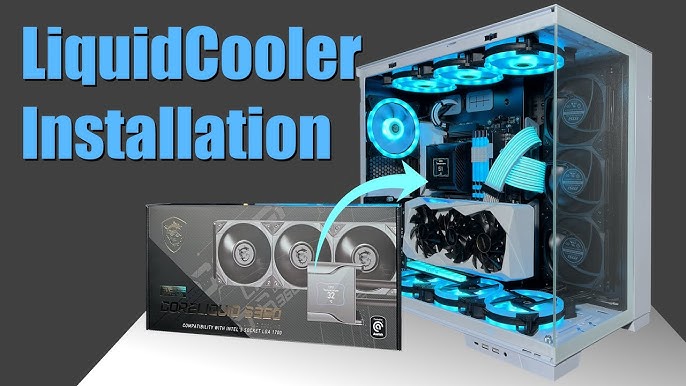
Credit: www.youtube.com
Removing The Old Cooler
Replacing your old cooler with a new AIO cooler can improve system cooling. This guide will help you remove the old cooler easily.
Follow these steps carefully to ensure your computer remains safe during the process.
Powering Down And Disconnecting
First, turn off your computer completely. Unplug the power cable from the wall socket.
Disconnect any peripherals connected to your computer. This will make it easier to access the cooler.
- Turn off the computer
- Unplug the power cable
- Remove connected peripherals
Detaching The Existing Cooler
Open your computer case carefully. Locate the existing cooler that you want to remove.
Unscrew the cooler from the motherboard. Carefully lift it away from the processor.
- Open the computer case
- Locate the existing cooler
- Unscrew and lift the cooler
Installing The Aio Cooler
Installing an AIO cooler helps keep your CPU cool and safe. It involves placing the radiator, applying thermal paste, and securing the pump unit.
Follow these steps carefully to install your AIO cooler correctly. This guide will explain each part clearly.
Mounting The Radiator And Fans
Start by choosing a place for the radiator inside your case. Most cases support mounting at the top, front, or rear.
Attach the fans to the radiator using the screws provided. Make sure the fans blow air in the right direction for good airflow.
- Align the radiator with mounting holes in the case
- Screw the fans onto the radiator firmly
- Check fan direction for proper airflow
- Secure the radiator to the case using screws
Applying Thermal Paste
Clean the CPU surface before applying thermal paste. Use a lint-free cloth or alcohol wipe to remove old paste or dust.
Apply a small, pea-sized drop of thermal paste in the center of the CPU. The pressure from the pump will spread it evenly.
- Clean CPU surface thoroughly
- Place one small drop of thermal paste on CPU center
- Do not spread the paste manually
- Ensure no excess paste spills over the CPU edges
Securing The Pump Unit
Place the pump unit carefully on top of the CPU. Align it with the mounting brackets on the motherboard.
Use the screws or clips included to secure the pump tightly. Do not overtighten as it may damage the motherboard.
- Align pump with motherboard mounting points
- Secure pump using screws or clips provided
- Check for firm but gentle attachment
- Connect pump power cable to CPU fan header
Final Setup And Testing
After installing your AIO cooler, it’s important to finish the setup carefully. This ensures your system runs smoothly and stays cool.
Testing the cooler helps confirm everything works as expected. Follow these steps to connect cables and check temperatures.
Connecting Power And Fan Cables
Connect the pump power cable to the CPU fan header on your motherboard. This supplies power to the pump.
Attach the radiator fan cables to the fan headers. You can use CPU_FAN or SYS_FAN ports, depending on your motherboard.
- Plug pump cable into CPU_FAN header
- Connect radiator fans to CPU_OPT or SYS_FAN headers
- Use fan splitter if needed for multiple fans
- Secure all cables to avoid loose connections
Booting Up And Monitoring Temperatures
Turn on your PC and enter the BIOS or UEFI settings. Check if the pump and fans are running properly.
Use monitoring software to watch CPU temperatures. Make sure the temperatures stay within safe limits during use.
- Enter BIOS to check pump and fan speeds
- Install temperature monitoring software in your OS
- Observe CPU temperature during idle and load
- Look for consistent pump operation and fan speed

Credit: www.reddit.com
Frequently Asked Questions
What Tools Do I Need To Install An Aio Cooler?
You need a screwdriver, thermal paste, and the AIO cooler kit for installation.
How Do I Prepare My Pc For Aio Cooler Installation?
Turn off the PC, unplug all cables, and remove the old cooler first.
Where Should I Mount The Radiator Of An Aio Cooler?
Mount the radiator at the top or front of your PC case for best airflow.
How To Apply Thermal Paste Correctly On The Cpu?
Apply a small pea-sized dot in the center of the CPU before placing the cooler.
How Do I Connect The Aio Cooler To My Motherboard?
Plug the pump and fan cables into the CPU fan and AIO pump headers on the motherboard.
Conclusion
Installing an AIO cooler can improve your PC’s performance and keep it cool. Follow each step carefully and take your time. Double-check connections and mounting to avoid issues. Use the right tools and handle parts gently. Your system will run quieter and stay at a better temperature.
Enjoy a smoother experience with less heat and noise. Keep your PC clean and maintain the cooler regularly. This simple upgrade helps your computer stay healthy and last longer.