

Last Updated on January 8, 2026 by Eric B. Steele
Choosing the right CPU cooler can make a huge difference in your computer’s performance and lifespan. If you want your PC to run smoothly and stay cool under pressure, picking the perfect cooler is key.
But with so many options out there, how do you know which one suits your needs best? You’ll discover simple tips and clear advice that help you make the smartest choice for your CPU. Keep reading, and you’ll never worry about overheating or noisy fans again.

Credit: www.pcgamer.com
Types Of Cpu Coolers
Choosing the right CPU cooler is important for your computer’s performance. Different coolers work in different ways to keep your processor cool.
This guide explains the main types of CPU coolers and their features.
Air Coolers
Air coolers use fans and heatsinks to move heat away from the CPU. They are common and easy to install.
- They have metal fins that absorb heat.
- Fans blow air through the fins to cool them.
- They come in different sizes for various needs.
- Air coolers are usually quieter and cheaper.
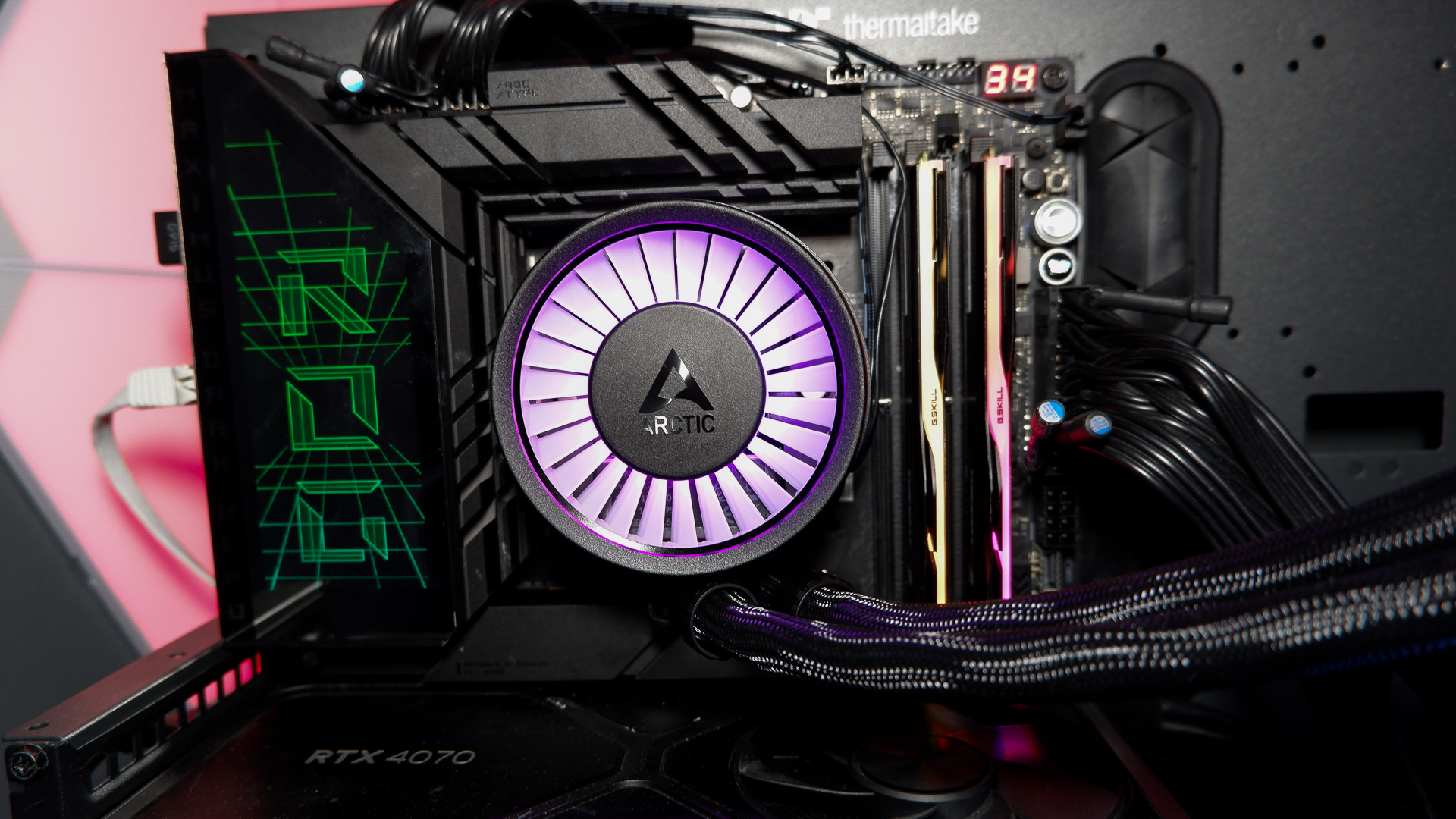
Liquid Coolers
Liquid coolers use water or other fluids to remove heat from the CPU. They can cool better than air coolers.
| Component | Function |
| Water block | Absorbs heat from CPU |
| Radiator | Releases heat into the air |
| Pump | Moves liquid through the system |
| Tubing | Connects parts for liquid flow |
Passive Coolers
Passive coolers do not use fans or pumps. They rely on large heatsinks to spread heat.
Advantages of passive coolers:
- Silent operation without noise
- No moving parts to fail
- Simple design with low maintenance
They work best for low-power CPUs or quiet setups.
Credit: www.pcgamer.com
Compatibility Factors
Choosing the right CPU cooler is essential for your computer’s performance. It helps keep your system cool and efficient. Consider these compatibility factors before making a decision.
Each factor is crucial and can affect how well your cooler fits and works. Pay attention to details to ensure a proper match.
Socket Type
The CPU socket type on your motherboard determines the cooler compatibility. Different CPUs use different sockets.
- Check your CPU’s socket type (e.g., LGA1151, AM4).
- Ensure the cooler supports your specific socket.
- Refer to the cooler’s specification sheet for details.
Case Size And Clearance
Your computer case size affects which coolers you can use. Measure the clearance space before buying.
| Case Type | Maximum Cooler Height |
| Mini Tower | 150mm |
| Mid Tower | 160mm |
| Full Tower | 180mm+ |
Ram And Motherboard Layout
The layout of your RAM and motherboard can limit cooler choices. Some coolers are larger and may interfere with RAM slots.
Cooling Performance Metrics
Choosing the right CPU cooler means looking at several key factors. These factors help you understand how well the cooler will keep your processor safe from overheating.
We will focus on Thermal Design Power, fan speed and noise levels, and heat pipe and radiator efficiency. These metrics tell you how effective and quiet the cooler will be.
Thermal Design Power (tdp)
TDP shows the maximum heat a CPU cooler can handle. It is measured in watts (W). Choose a cooler with a TDP rating equal to or higher than your CPU’s TDP.
Higher TDP means the cooler can remove more heat, which is important for powerful CPUs or overclocked systems.
Fan Speed And Noise Levels
Fan speed is measured in rotations per minute (RPM). Faster fans move more air, improving cooling. But they also make more noise.
- Low RPM fans are quieter but cool less efficiently.
- High RPM fans cool better but can be noisy.
- Look for a balance between speed and noise.
- Some coolers have adjustable fan speeds.
Heat Pipe And Radiator Efficiency
Heat pipes transfer heat from the CPU to the radiator. Radiators then release the heat into the air. Efficiency depends on design and materials.
| Component | Key Feature | Effect on Cooling |
| Heat Pipes | Number and Material | More pipes and copper improve heat transfer |
| Radiator Size | Surface Area | Larger radiators cool better |
| Fin Density | Fins per Inch | Higher density increases cooling but may reduce airflow |
Installation And Maintenance Tips
Choosing the right CPU cooler is important for your computer’s performance. Proper installation and regular maintenance keep it working well.
This guide covers how to mount your cooler, apply thermal paste, and clean it for best results.
Proper Mounting Techniques
Mounting your CPU cooler correctly prevents damage and improves cooling. Follow your cooler’s instructions carefully.
Make sure the cooler fits your CPU socket and case. Use the right screws or brackets and tighten them evenly.
- Align the cooler with the CPU socket
- Attach mounting brackets securely
- Tighten screws in a diagonal pattern
- Check that cooler sits flat on the CPU
Thermal Paste Application
Thermal paste helps transfer heat from the CPU to the cooler. Applying the right amount improves cooling.
Use a small pea-sized amount in the center of the CPU. The cooler will spread it evenly when mounted.
- Clean old paste off the CPU surface
- Apply a small dot of thermal paste
- Do not use too much paste
- Mount the cooler right after applying
Cleaning And Upkeep
Dust and dirt reduce cooling efficiency. Clean your CPU cooler regularly to keep it working well.
Turn off your PC and unplug it before cleaning. Use compressed air or a soft brush to remove dust.
- Clean fan blades and heatsink fins
- Check for loose screws or parts
- Replace thermal paste every 1-2 years
- Keep your PC case dust-free
Credit: www.technoidgamingpc.com
Frequently Asked Questions
What Size Cpu Cooler Fits My Computer Case?
Check your case specifications for maximum cooler height and clearance before buying.
How Important Is The Cpu Cooler’s Noise Level?
Quieter coolers make your computer more comfortable to use for long hours.
Does A Bigger Cpu Cooler Mean Better Cooling?
Not always. Efficiency depends on design, fan speed, and airflow, not just size.
Can I Use Any Cpu Cooler With My Processor?
No. Ensure the cooler supports your CPU socket type for proper fit.
Should I Choose Air Or Liquid Cooling For My Cpu?
Air coolers are simpler and cheaper; liquid coolers offer better cooling but need care.
Conclusion
Choosing the right CPU cooler keeps your computer running cool and smooth. Think about your budget, case size, and noise levels. Air coolers work well for most users. Liquid coolers suit those wanting extra performance. Don’t forget to check compatibility with your CPU and motherboard.
A good cooler helps your PC last longer. Take time to compare options before buying. This way, you get the best fit for your needs. Cooling matters. Choose wisely.