

Last Updated on July 4, 2026 by Eric B. Steele
Is your air cooler not cooling as well as before? The secret to keeping it fresh and efficient lies in your honeycomb pads.
These pads play a big role in delivering cool, clean air—but over time, dust and dirt build up, making your cooler work harder. If you want to boost your cooler’s performance and extend its life, learning how to clean those honeycomb pads properly is key.
Keep reading, and you’ll discover simple, effective steps that anyone can follow to get your cooler back to its best. Your comfort depends on it!

Credit: www.youtube.com
Benefits Of Cleaning Honeycomb Pads
Cleaning air cooler honeycomb pads keeps the cooler working well. It helps the air stay fresh and cool. Dirt and dust can block the airflow if pads are dirty.
Regular cleaning extends the life of the honeycomb pads. It also saves energy and reduces repair costs over time.
Improves Cooling Efficiency
Clean honeycomb pads allow air to pass freely. This improves the cooling effect of the air cooler. Dirty pads slow down airflow and reduce cooling power.
Prevents Bad Odors
Dirt and mold on honeycomb pads cause bad smells. Cleaning removes these harmful substances. This keeps the air fresh and healthy to breathe.
Extends Pad And Cooler Life
Regular cleaning stops damage from dirt buildup. It prevents pads from wearing out early. Clean pads help the cooler parts last longer.
Saves Energy And Money
Dirty honeycomb pads make the cooler work harder. This uses more electricity and raises bills. Clean pads reduce energy use and save money.
- Better airflow
- Lower electricity bills
- Fewer repairs needed
- Cleaner, healthier air
- Longer-lasting cooler parts
Reduces Health Risks
Honeycomb pads can hold bacteria and mold if not cleaned. This may cause allergies and breathing problems. Cleaning pads lowers these health risks.
| Health Issue | Cause | How Cleaning Helps |
|---|---|---|
| Allergies | Mold spores | Removes mold and spores |
| Asthma | Dust and bacteria | Keeps pads free of dust |
| Infections | Harmful germs | Reduces germs on pads |

Credit: honeywellaircomfort.com
Tools And Materials Needed
Cleaning air cooler honeycomb pads helps maintain efficiency. The right tools and materials ensure a thorough cleaning.
Using appropriate tools prevents damage and extends pad life. Gather these items before starting.
Bucket
A bucket holds water for rinsing the pads. It is essential for soaking and cleaning.
Choose a bucket large enough to fit the pads comfortably. This makes cleaning easier.
Mild Detergent
Mild detergent helps remove dirt and grime. It is gentle on the pads and ensures a safe clean.
Mix the detergent with water in the bucket. This creates a cleaning solution.
Soft Brush
A soft brush is used for scrubbing the pads. It loosens dirt without damaging the material.
Brush gently to maintain the pad’s structure. This helps in efficient cleaning.
Clean Water
Clean water is necessary for rinsing the pads. Ensure it is free from any contaminants.
Use plenty of water to remove all detergent residue. This prevents any buildup.
Cloth Or Towel
A cloth or towel is used to dry the pads. It helps absorb excess water.
Pat the pads gently with the towel. This prepares them for reinstallation.
Step-by-step Cleaning Process
Cleaning air cooler honeycomb pads keeps your cooler working well. Dust and dirt can block air flow and reduce cooling.
Follow these simple steps to remove, wash, dry, and reinstall the pads safely.
Removing The Pads Safely
Turn off and unplug the air cooler before starting. This stops any electrical accidents.
Open the cooler’s back panel carefully. Find the honeycomb pads inside. Gently pull the pads out without bending or breaking them.
- Unplug the cooler from the power source
- Open the back or side panel
- Carefully remove the honeycomb pads
- Handle pads gently to avoid damage
Washing And Drying Techniques
Wash the pads in a large container or sink with clean water. Use a mild soap if the pads are very dirty.
Rinse the pads well to remove all soap. Avoid using strong chemicals or brushes that can harm the pads.
- Fill a container with clean water
- Add mild soap if needed
- Soak the pads and gently clean them
- Rinse thoroughly with clean water
- Let the pads dry in shade for several hours
Do not dry the pads in direct sunlight. Too much sun can make the pads brittle and break.
Reinstalling The Pads
Make sure the pads are completely dry before putting them back. Wet pads can cause mold or damage the cooler.
Place the pads carefully into their slots. Check that they fit snugly without gaps or bends. Close the cooler panel and plug it in.
- Confirm pads are fully dry
- Insert pads gently into slots
- Ensure pads fit correctly and straight
- Close the cooler panel securely
- Plug in and turn on the cooler
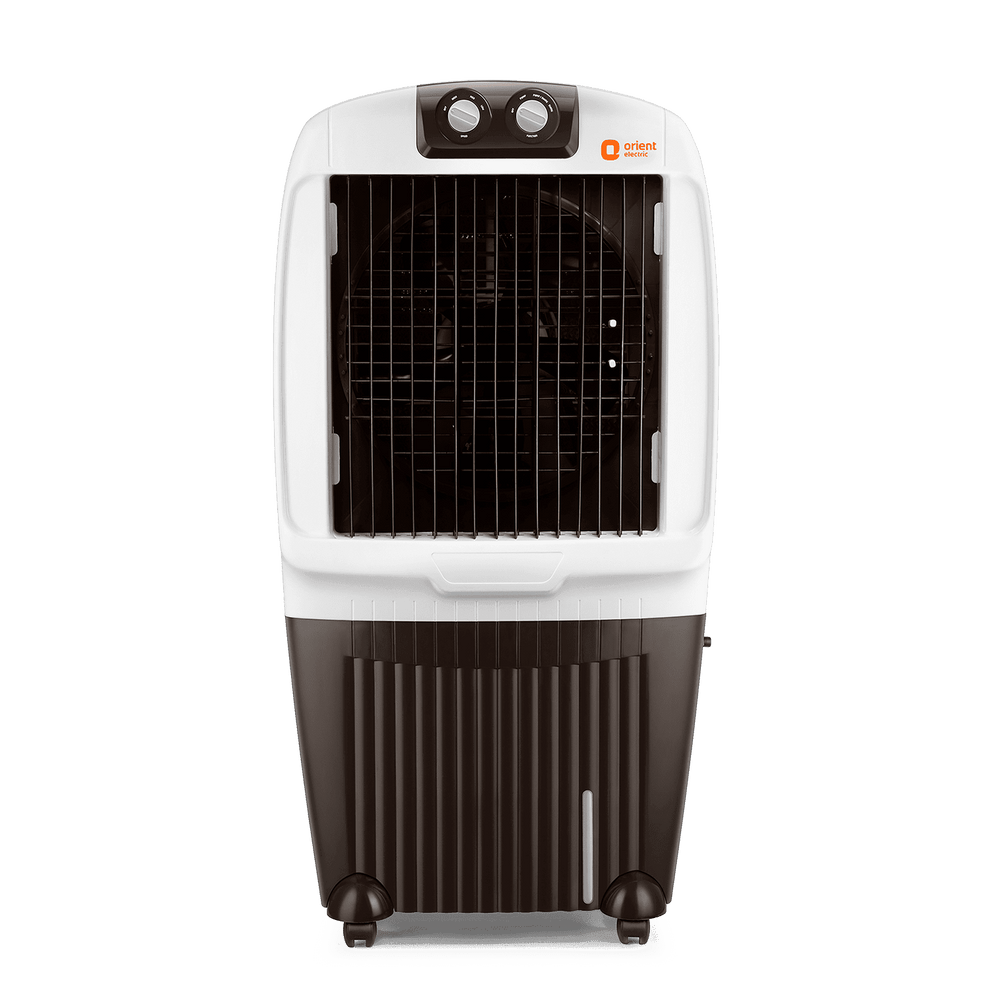
Credit: www.translidex.com.pl
Maintenance Tips For Longevity
Cleaning air cooler honeycomb pads keeps your cooler working well. Regular care helps the pads last longer.
Dirty pads reduce cooling efficiency and cause bad smells. Follow simple steps to clean them safely.
Turn Off And Unplug The Cooler
Before cleaning, switch off the air cooler. Unplug it to avoid accidents or electric shock.
Remove The Honeycomb Pads Carefully
Open the cooler’s back panel to access the pads. Handle them gently to prevent damage.
Rinse The Pads With Clean Water
Use cold water to wash the honeycomb pads. Avoid using hot water as it may harm the pads.
Rinsing removes dust and dirt stuck in the pads. Do not scrub hard to keep them intact.
Use Mild Soap For Stubborn Dirt
Mix mild soap with water if dirt is hard to remove. Soak the pads for a few minutes.
Gently rinse off the soap to avoid residue that can block airflow.
Dry The Pads Completely
Let the pads air dry in a shaded area. Avoid direct sunlight to prevent cracking.
Do not use a dryer or heater as heat can damage the pads.
Reinstall The Pads Properly
Place the dry pads back into the cooler carefully. Ensure they fit well to avoid air leaks.
Close the cooler panel securely before turning it on again.
Clean The Cooler Regularly
Clean the honeycomb pads every two to three weeks. Regular cleaning keeps the cooler efficient.
- Prevents mold and bad odors
- Improves cooling performance
- Extends the life of the pads and cooler
Frequently Asked Questions
How Often Should I Clean Air Cooler Honeycomb Pads?
Clean honeycomb pads every 2-3 weeks for best cooling and hygiene.
What Materials Do I Need To Clean Honeycomb Pads?
Use water, mild soap, a soft brush, and a clean cloth.
Can I Use Vinegar To Clean Honeycomb Pads?
Yes, vinegar helps remove mineral deposits and kills bacteria effectively.
How Do I Dry Honeycomb Pads After Cleaning?
Air dry pads completely in shade before reinstalling to avoid mold.
What Signs Show Honeycomb Pads Need Cleaning Or Replacement?
Look for dirt buildup, bad odor, or reduced cooling performance.
Conclusion
Cleaning air cooler honeycomb pads keeps your cooler working well. Regular cleaning stops dust and dirt from building up. Use gentle water flow and soft brushes to avoid damage. Dry the pads fully before using the cooler again. Clean pads help cool air flow smoothly and keep air fresh.
Taking a little time to clean pads extends the life of your cooler. Simple steps bring better cooling and save money on repairs. Keep your air cooler ready for hot days ahead.